iCloud Photo & Drive Backup, Full Restore, and Transfer for iPhone, iPad, and Mac
BackiGo helps you back up photos, videos, iCloud Drive documents, and contacts - then browse, restore, and move them whenever you need. Unlike iCloud, which mainly syncs your data, and other backup apps that only store it, BackiGo creates true, independent backups in original quality that you can browse, restore, and move across devices anytime.
Start with 500 free photo & video backups • Trusted by professionals • No credit card required
App localizations: English, 简体中文, 繁體中文, 日本語, 한국어, Français, Deutsch, Español, Italiano, Русский, Português.
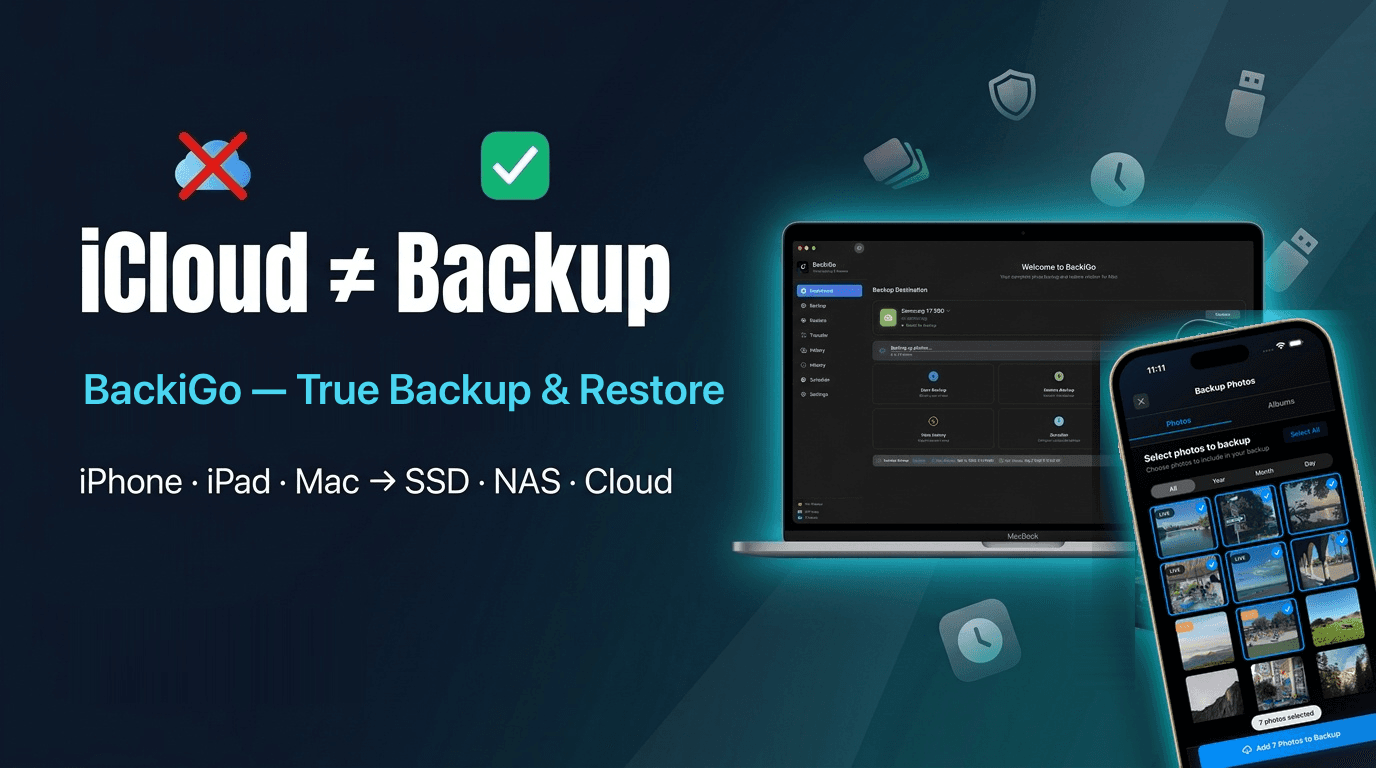
iCloud Backup
Back up iCloud photos in original quality to your own storage
Live Photos & Albums
Perfect backup and restore of Live Photos, local albums, and all metadata preserved.
Your Data, Your Control
True backups stored on your own drive, NAS, or Cloud. Full control, complete privacy.
See BackiGo in Action
Watch how BackiGo turns photo, video, and iCloud Drive backup into a seamless, high-speed, and 100% private experience.
BackiGo
Powerful Features for Complete Control
BackiGo gives you everything you need to safely backup and restore your precious memories with complete privacy and control.
iCloud Photos Backup
Back up iCloud Photos in original quality to your chosen storage, with albums, metadata, and Live Photos preserved.
- Original-quality backup
- Shared Albums support
- Metadata preserved
- External, NAS, and cloud destinations
Local Albums Backup
Backup local albums, camera roll, and favorites directly to USB or NAS. No iCloud required, works completely offline.
- No iCloud required
- Works completely offline
- Backup to USB or NAS
- Local albums & camera roll
Live Photos Support
Perfectly backup and restore Live Photos with both image and video components preserved.
- Full Live Photo backup
- Motion and sound preserved
- Perfect restoration
- Metadata intact
Cross-platform Transfer
Move photos and videos across iPhone, iPad, Mac, Windows, and Android with app or web transfer.
- App or web transfer — no iCloud
- Device-to-device transfer
- Browser upload and download
- Secure PIN access
iCloud Drive Backup
05Back up your iCloud Drive documents with versioning, and auto-offload back to iCloud to free local space after backup.
Backup Encryption
06Optional client-side encryption protects your data before it is written to your backup destination.
Smart Backup Modes
07Choose between full backup or incremental backup to save time and storage space.
USB, NAS & Cloud Backup
08Direct backup to USB, NAS, and Cloud Storage.
Scheduled & 3-2-1 Backup
09Schedule automatic multi-destination backups across external drives, NAS, and cloud for Photos, iCloud Drive documents, and Contacts — effortlessly implementing the 3-2-1 backup strategy (3 copies, 2 media types, 1 offsite/cloud).
Easy Restore
10Restore photos, videos, iCloud Contacts, and iCloud Drive documents from your backups and iCloud archives.
Secure & Private
11Your backups go only to the storage destinations you choose, including USB drives, NAS, and your own cloud accounts.
Backup & Restore Reports
12Detailed backup/restore history records, exportable as HTML or CSV reports, ensuring no precious photo is ever lost.
Why Choose BackiGo?
BackiGo doesn't just back up your data — it gives you full control to restore, view, and rebuild it anywhere.
No Account, No Tracking
100% Private
You control where your data goes
0
No Account, No Tracking
1
You control where your data goes
Your Memories, Stored on Your Terms
BackiGo connects directly to your local hardware, existing cloud drives, or high-performance S3 object storage. Zero middlemen, zero vendor lock-in.
100% Direct Transfer
Transfers directly between your device and your storage. No BackiGo intermediate servers.
Client-Side Encryption
Optional AES-256 local encryption before upload ensures zero-knowledge privacy.
3-2-1 Backup Ready
Easily pair local USB/NAS with an offsite S3 or cloud copy for complete peace of mind.
USB & External Drives
USB-C, Lightning flash drives, portable SSDs, and external hard drives (HDDs). Instant plug-and-play with zero internet needed.
SMB / CIFS & NAS
Direct LAN backup to your home or office NAS, Windows shared folders, and Mac file shares.
SFTP, FTP & WebDAV
Connect to any network storage, server, or VPS via open, encrypted network protocols.
Product Screenshots
See how BackiGo actually works.


Photos, Drive & Contacts
iCloud Backup to Your Own Storage
Back up iCloud Photos, Shared Albums, iCloud Drive documents, and Contacts to external storage, NAS, or Cloud. Photos are preserved in original quality; iCloud Drive documents can be archived with versioning and auto-offloaded back to iCloud to free local space.
01
iCloud Photos
Back up original photos and videos from your iCloud Photos library with metadata preserved
02
Shared Albums
Back up original photos from shared albums with metadata preserved
03
iCloud Drive
Archive original files from iCloud Drive folders to external storage, NAS, or Cloud with versioning, and auto-offload back to iCloud to free local space
04
Contacts
Backup contacts from iCloud Contacts with full contact information
Core Technology
Perfect Live Photos Backup & Restore
BackiGo is the only app that can both backup AND directly restore Live Photos with motion and sound intact. While other backup solutions can only save Live Photos as static images or separate files, BackiGo uniquely preserves and restores the complete Live Photo experience.
The Live Photos Problem
Most backup solutions fail to preserve Live Photos correctly, losing the motion, sound, or metadata that makes them special.
- Converted to static JPG images
- Motion and sound separated
- Metadata lost during transfer
- Cannot restore as Live Photos
BackiGo's Solution
Core technology that preserves every aspect of your Live Photos during backup and restore.
- Complete Live Photo preservation
- Motion and sound intact
- All metadata preserved
- Perfect restoration to Photos app
100% Fidelity Guarantee
Your restored Live Photos will be identical to the originals - same motion, same sound, same magic.
01
Motion Preserved
Every frame of movement captured and restored
02
Sound Intact
Audio component perfectly synchronized
03
Metadata Complete
All timestamps and location data preserved
Your data stays entirely yours
Privacy & Security
No account or tracking. Direct device-to-device transfer. Your memories and contacts stay entirely yours.
No Account Required
No account or tracking
Direct Transfer
Direct device-to-device transfer
Your Data, Your Control
Your memories and contacts stay entirely yours
150+ reviews on App Store
User Reviews
Join thousands of satisfied users who trust BackiGo with their precious memories
Excellent and full-featured, for protecting precious photos
“This is my second review because for some reason iPadOS is not letting me add to the first one. What I wanted to add is that after doing a big backup (close to 60,000 photos) I was quite pleased but still sent a suggestion to the developer, for a specific new feature I thought useful. A few days later, a new version is already published with that feature! Of course I already bought the lifetime tier, it's well worth it.”
Excellent
“Works like a charm”
Great Developer
“Requested a feature and it got added. Now I can backup my files to Drime with ease!”
Best photo/video backup app
“BackiGo is a great app that really has speed up my process for backing up photos/videos, including reducing the number of apps that was using (e.g. I no longer need separate apps for removing duplicates and organising them into folders). The developer is very responsive and seems to be genuinely interested in improving BackiGo with every update”
Wow, just what i was looking for .
“Just downloaded the app and can’t believe how quick it’s going to take to download every photo and video (24,739) and estimates 58 mins, it would have taken me weeks to do this through my Mac.”
Super Sicherungstool
“Hervorragendes und zuverlässig arbeitendes Tool zur Sicherung / Export der kompletten Fotomediathek.”
Better alternative to Parachute
“I discovered this through discussions about Parachute’s acquisition, and I wish I’d known about BackiGo from the start. I have a pCloud account, and the ability to auto-upload to my pCloud storage is huge for me. To top it off, I can encrypt my backups. I love this.”
Essential for safeguarding research data
“As a researcher and lecturer, BackiGo is a lifesaver. I can finally create true, independent backups of crucial project photos and iCloud Drive documents directly to my external drives and NAS. The peace of mind knowing my field work and academic materials are safely stored outside the cloud, in original quality, is invaluable. It's a simple, private solution for protecting years of work.”
Great for what it is, especially as a non-Mac user
“I have an iPhone (obviously) and a PC. I like backing up my photos and being able to view them on my PC monitor. The windows iCloud app sucks and doesn't sync all the time, and I don't want to pay for iCloud ad infinitum. I wanted a one-time payment way of getting all my photos and videos on my iPhone. I bought the one time $14 lifetime subscription to this app and so far it's worked great. I just went on a long international vacation in November and was able to move everything onto an external SSD, and then move that to my PC. I did have some issues to address: 1) I have an iPhone 14pro. This still uses the lightning port. For all the pictures and videos I had, the transfer time was unfortunately limited to USB 2.0 speeds. This is no fault of the app and did not factor into my review. 2) the transfer would fail and cut out if my iPhone went to sleep or locked, so I had to keep my iPhone awake and unlocked for the entire transfer time (which took about an hour and a half). Your iPhone needs to be plugged in anyway so at the very least it didn't drain my battery. But it was annoying to leave it alone for an hour and then check on it only to see that it stopped 55 minutes ago. But once I switched my phone to never sleep and be unlocked always, it worked. 3) you need a bunch of extra things to do the transfer if you have an iPhone 14 or lower. You need a special Apple lightning to USB-A adapter, then you need an external SSD. There is no way to connect your phone directly to a PC and transfer it that way. 4) this seems to be a limitation to any non apple OS device: Live Photos will always save as two photos. It will be one photo + a gif of the “live” part. This is unfortunately just the reality of dealing with pictures on non apple devices. The fact that the developer has made this app compatible for Live Photos is great though and I highly appreciate it for that aspect. As far as I am aware, there is no other nonnative app that does this.”
Useful and easy to use.
“I wanted to back up my photos/videos to external usb-c drive and to my NAS. This app allows it easily. I hope Apple will allow third party apps. The biggest drawback was hidden purchase button (you can back up first 500 files for free). But the app was absolutely worth the money.”
非常好用的iCloud图库备份应用
“目前在大量照片备份场景下的可用性已经提升了很多,我已经基本备份完了将近800G的照片/视频到外接硬盘。这个APP解决了我一直以来备份iCloud照片的问题,非常nice,已充永久会员支持。”
Finally Found the Perfect Backup App for live photo
“Amazing app! It works flawlessly for backing up my live photos. Super easy to use, fast, and totally reliable. I've tried several apps before, but this one is by far the best. Highly recommended!”
Great app
“This app is awesome! Smooth and easy. Thanks!”
Really good
“Hace bien su trabajo”
Very good product
“An excellent product to backup your photos either to your iCloud file system or to any USB drive connected to your iOS (or iPadOS) device without syncing to any of your other devices of your Apple Account. Excellent when you have an iPad for private photos of your work and an iPhone for photos of your family and leisure.”
Very easy to use!!
“Just stuck my HD into my iPhone. Copied everything within a few clicks. Tested a restore after deleting some pics and vids. All worked like normal including the Live photos!! 5 stars!!”
Great app!
“I tried the free version and it worked for me. I read blogs, watch videos but couldn't find a solution to backup to pc without losing Live Photos. This is exactly what I need. I bought the lifetime subscription.”
BackiGo
Choose Your Perfect Plan
Start with our free trial, then upgrade to Pro for unlimited backups and premium features.
Trial
Experience BackiGo with limited backups
- 500 photos & videos backup limit
- USB & external storage support
- Basic backup & restore
- Live Photos support
- Multi-language interface
Pro Monthly
Flexible monthly billing
- Unlimited backup & restore for photos, videos, drives, and contacts
- iCloud Photos, Shared Albums, Drive & Contacts supported
- Scheduled "Set It and Forget It" automation
- Multi-device access & Family Sharing
- Cancel anytime
By subscribing, you agree to our Terms of Service and Privacy Policy
Pro Yearly
Save 58% vs monthly billing
- Unlimited backup & restore for photos, videos, drives, and contacts
- iCloud Photos, Shared Albums, Drive & Contacts supported
- Scheduled "Set It and Forget It" automation
- Multi-device access & Family Sharing
- Best value for regular users
- Cancel anytime
By subscribing, you agree to our Terms of Service and Privacy Policy
Pro Lifetime
One-time payment, yours forever
- Unlimited backup & restore for photos, videos, drives, and contacts
- iCloud Photos, Shared Albums, Drive & Contacts supported
- Scheduled "Set It and Forget It" automation
- Multi-device access & Family Sharing
- All future features included
- No recurring fees ever
By subscribing, you agree to our Terms of Service and Privacy Policy
Prices are based on Apple App Store official pricing tiers and exchange rates, and are subject to adjustments based on currency fluctuations. Applicable taxes are calculated at checkout. Final billing amount will be confirmed in the App Store.
Support
24h
Feedback
Direct
Community
Get direct help, share backup workflows, and help shape what BackiGo ships next.
Join the Discord community
Get direct help, share backup workflows, and help shape what BackiGo ships next.
Join Discord for freeBackiGo
Ready to Protect Your Memories?
Download BackiGo now and start backing up your precious photos and videos with complete privacy and control.
iOS & macOS Compatible
Requires iOS 16.5 or later, iPadOS 16.5 or later, or macOS 13.5 or later. Compatible with iPhone, iPad, and Mac.
Highly Rated
Trusted by thousands of satisfied users worldwide.
Free to Start
Backup up to 500 photos and videos with full access to all features before upgrading.
System Requirements
01
Device
iPhone, iPad, or Mac
02
OS Version
iOS 16.5+, iPadOS 16.5+, or macOS 13.5+
03
Storage
USB drives or external storage, SMB shared folders, FTP/WebDAV, Cloud drives (Google Drive, Dropbox, OneDrive, pCloud, Drime, Koofr, MEGA), and S3/Object Storage (Amazon S3, Cloudflare R2, Wasabi, MinIO, IDrive e2, Backblaze)
04
File Systems
APFS, APFS (Encrypted), macOS Extended (HFS+), exFAT (best for cross-platform)
Need Help?
Our support team is here to help you get the most out of BackiGo. We typically respond within 24 hours.